

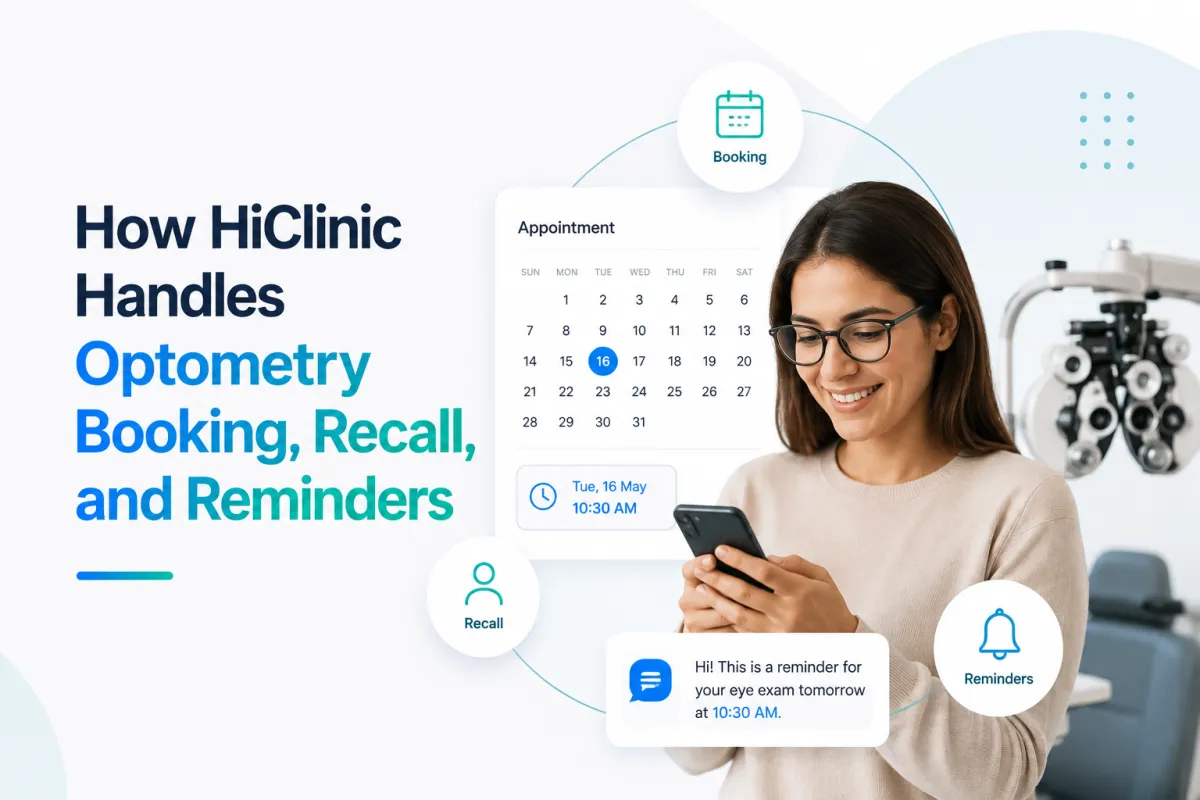
How HiClinic Handles Optometry Booking, Recall, and Reminders
TL;DR
HiClinic answers optometry calls, texts, and web enquiries, then writes confirmed exam bookings into the clinic calendar without staff involvement.
Recall runs on the interval your optometrist sets. The software sends the reminder. It never decides the clinical interval.
Reminder sequences include appointment confirmations, pre-exam reminders, eyewear pickup reminders, and recall due dates.
Setup takes 7 days, staff training takes 30 minutes, and clinics see results within 48 hours.
HiClinic works alongside your existing practice software as a front desk layer. It does not replace patient records or clinical systems.
Billing runs month to month with no long-term contract.
What does HiClinic do for an optometry clinic?
HiClinic is a front office layer that answers inbound calls, texts, and web enquiries for an optometry clinic, books eye exams into the live calendar, and runs recall and reminder sequences automatically.
Three systems do the work:
Booking. Every enquiry gets an immediate reply and a real appointment slot, including calls that arrive while your optometrist is mid-exam.
Recall. Patients due for their next exam get contacted on the schedule you configure, without anyone running a list manually.
Reminders. Confirmations, pre-appointment nudges, and eyewear pickup notices go out on their own.
Semantic triples:
HiClinic answers optometry calls, texts, and web enquiries.
HiClinic books eye exams into the clinic's live calendar.
HiClinic sends recall and reminder messages on a configured schedule.
How does HiClinic book an eye exam appointment?
HiClinic books an eye exam by answering the enquiry, confirming what the patient needs, offering live availability, and writing the confirmed slot into the clinic calendar.
The sequence runs like this:
The enquiry arrives. Phone calls, text messages, website chat, and social messages land in one inbox rather than four separate places.
HiClinic replies within seconds. The response uses your clinic's name, hours, and service list as configured during setup.
It confirms the visit type. Routine exam, contact lens fitting, or a follow-up the patient was told to book.
It checks whether the patient is new or returning. Returning patients skip questions you already have answers to.
It offers real availability. Open slots come from your live calendar, so two patients cannot claim the same appointment.
The booking confirms. The appointment is written
to the calendar and a confirmation goes to the patient.
Anything that falls outside routine booking gets flagged for your team with the full conversation attached.
What happens when a patient calls during an exam?
A missed call triggers an automatic text back within seconds, so the patient gets a reply while your optometrist is still with someone. The text opens a conversation HiClinic can carry through to a booked appointment, which means the caller stops dialling other clinics.
How does automated eye exam recall work?
Automated recall works by flagging patients whose next exam is due, contacting them on your configured schedule, and booking anyone who responds directly into an open slot.
The mechanics:

The part that matters operationally is what stops happening. Nobody exports a list, cross-references who already rebooked, and works the phone between patients. The queue maintains itself.
Semantic triples:
HiClinic queues patients for recall when their exam due date arrives.
Recall messages send through each patient's preferred contact channel.
Patients who respond book directly into open calendar slots.
Who decides the recall interval?
Your optometrist does. Recall intervals are a clinical decision that depends on patient age, risk factors, and prior findings, and they vary by province and by patient. HiClinic sends the recall on the interval your clinic configures. It has no view into clinical records and makes no recommendation about when a patient should be seen.
External citation slot: [SOURCE NEEDED: provincial college of optometrists guidance on recall intervals. Verify the governing body per province.]
Which reminders reduce optometry no-shows?
Four reminder types carry most of the weight at an optometry clinic: booking confirmation, a pre-exam reminder, eyewear pickup notice, and the recall due message.

Eyewear pickup is the one most clinics underestimate. A completed order that nobody collects ties up capital, occupies shelf space, and leaves a patient wearing an old prescription. An automatic notice when the order arrives closes that loop without a staff member working through a pickup list.
How does HiClinic handle direct billing and coverage questions?
HiClinic answers general questions about what your clinic offers and which insurers you bill directly. It does not confirm an individual patient's coverage, remaining balance, or eligibility.
The distinction matters. "Do you direct bill?" is a front desk question with a fixed answer your clinic can configure. "Am I covered for this exam?" depends on the patient's plan, their age, their province, and how much of their benefit they have already used. Coverage varies enough that an automated answer would be wrong often enough to cause problems.
So HiClinic answers the first question and routes the second to your team with the conversation attached. Patients get a fast reply either way.
Semantic triples:
HiClinic answers general direct billing questions from configured clinic information.
HiClinic routes individual coverage enquiries to clinic staff.
Coverage eligibility remains a human decision at the clinic.
How long does setup take for an optometry clinic?
Setup takes 7 days. Staff training takes 30 minutes. Most clinics see a first measurable result within 48 hours of going live.
Your team's work during that week is small. You confirm your services, your hours, your recall intervals, and the questions patients ask most. We build the rest. Training runs short because your front desk is learning one inbox rather than a new operating system.
What does HiClinic not do at an optometry clinic?
HiClinic does not give clinical advice, interpret symptoms, decide recall intervals, adjudicate insurance coverage, or replace your patient records system.
Specifically out of scope:
Clinical questions. A patient describing flashes, floaters, or sudden vision change gets routed to your team, not answered by software.
Triage. HiClinic does not assess urgency. Your clinic's protocol decides what counts as urgent.
Prescription information. Nothing about a patient's prescription, findings, or history is handled by the front desk layer.
Records and charting. HiClinic sits alongside your existing practice software as a front desk layer. Patient records stay where they are.
Being clear about the boundary is the point. A front desk system that stays in its lane is one your optometrists can trust with the phone.
Key takeaways
HiClinic answers optometry enquiries across phone, text, web, and social, then books exams into the live calendar.
Recall runs on the interval your optometrist sets, and the software never makes that clinical call.
Four reminder types do most of the work: confirmation, pre-exam, eyewear pickup, and recall due.
General direct billing questions get answered. Individual coverage questions go to your team.
Setup takes 7 days, training takes 30 minutes, and billing runs month to month.
Want to see it running on your own calendar? Book a free demo and we will walk through booking, recall, and reminders using your clinic's actual schedule.